
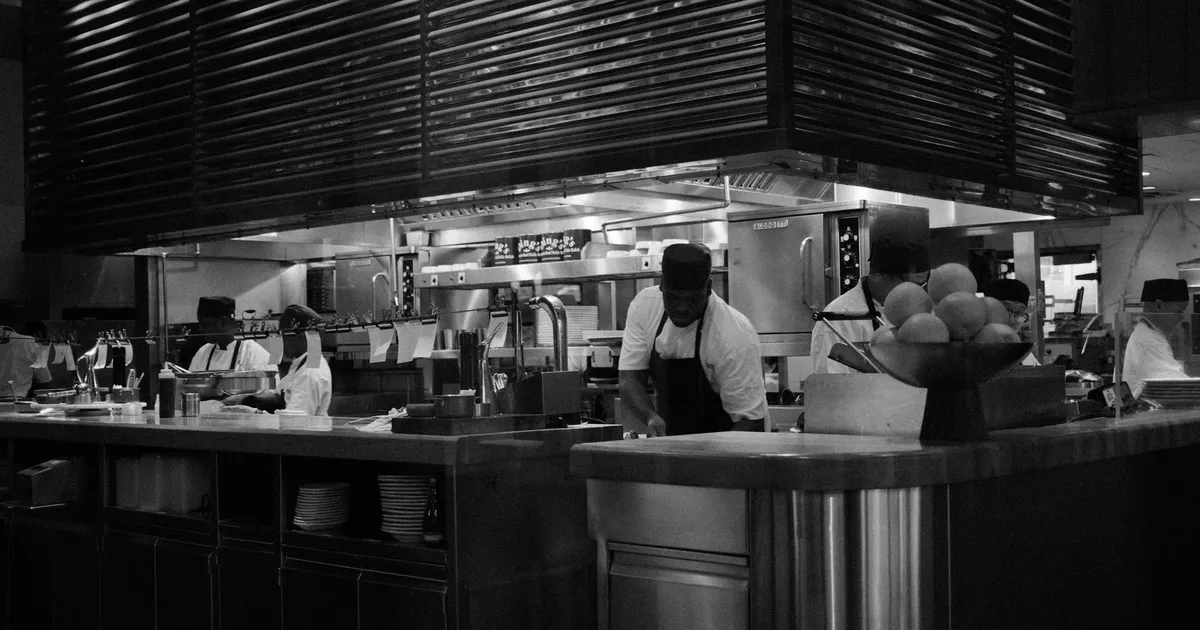
How AI-powered invoice processing works for restaurants, what it saves in time and money, and how to implement it without a big budget.
Independent restaurant owners deal with 30–60 invoices per week from multiple vendors. Each invoice has a different format. Each needs to be checked, entered into a system, and filed. Most owners spend 4–8 hours per week on this — time that could be spent on the floor, developing recipes, or growing the business.
AI-powered invoice processing eliminates the majority of that manual work. You photograph or upload the invoice, and AI reads every line — vendor, items, quantities, prices, totals — and enters the data automatically.
Modern AI invoice processing for restaurants uses a combination of technologies:
Optical Character Recognition (OCR) converts the image of an invoice into machine-readable text. This handles printed text, different fonts, and various invoice layouts.
Natural Language Processing (NLP) interprets the text — understanding that "BNLS CHKN BRST" means boneless chicken breast, that the column labeled "Ext Price" is the extended price, and that the number in the top right is the invoice total.
Machine Learning improves accuracy over time. The more invoices the system processes from a specific vendor, the better it gets at reading that vendor's format.
The typical flow:
Take a photo of the invoice with your phone (or upload a PDF/email)
AI extracts: vendor name, invoice date, invoice number, and every line item
For each line item: product name, quantity, unit, unit price, extended price
Data is matched to your existing ingredient database
You review and approve (typically 15–30 seconds)
| Invoice Element | AI Accuracy | Notes |
|---|---|---|
| Vendor name & address | 98%+ | Almost always correct |
| Invoice date & number | 97%+ | Standard formats recognized |
| Line item descriptions | 92–96% | Abbreviations and shorthand can cause issues |
| Quantities | 94–97% | Occasionally misreads handwritten corrections |
| Unit prices | 94–97% | Decimal placement is critical |
| Totals | 97%+ | Easy to verify against line items |
| Handwritten notes | 80–90% | Most challenging element |
| Credits and adjustments | 85–92% | Non-standard formatting varies |
For printed invoices from major distributors (Sysco, US Foods, Restaurant Depot), accuracy is typically 95%+. For handwritten invoices from small local vendors, accuracy may be lower, but still far faster than manual entry.
| Task | Manual Process | With AI Processing |
|---|---|---|
| Enter one invoice | 5–10 minutes | 15–30 seconds (photo + review) |
| Process 40 invoices/week | 3.5–7 hours | 15–20 minutes |
| Monthly invoice processing | 14–28 hours | 1–1.5 hours |
| Annual time savings | — | 150–300+ hours |
At 150–300 hours saved per year, even valuing your time at $20/hour, that's $3,000–$6,000 in time savings annually — not counting the value of having real-time data instead of month-old spreadsheets.
The real value of AI invoice processing isn't just speed — it's the data that accumulates automatically:
Price tracking over time. Every ingredient price from every vendor is recorded with each invoice. When a supplier raises prices, you see it immediately — not at month's end when you're doing the P&L.
Vendor comparison. When you order the same item from multiple vendors, the system shows you who's cheaper. This gives you leverage in negotiations.
Real-time food cost. When invoice data flows in automatically, your food cost percentage updates in real time. No more end-of-month surprises.
Spending patterns. See exactly where your money goes — by vendor, by category, by week. Identify patterns you'd never spot manually.
Audit trail. Every invoice is stored digitally, searchable, and organized. No more digging through boxes for a receipt from three months ago.
Not all solutions are equal. Here's what matters for independent restaurants:
| Feature | Why It Matters |
|---|---|
| Phone-based capture | You receive invoices at the back door, not your desk |
| Handles multiple formats | Paper, PDF, email attachments |
| Vendor learning | Gets better with each invoice from the same vendor |
| Price tracking | Automatically tracks price changes over time |
| No setup fee | Independent restaurants can't justify $500+ setup costs |
| Free or affordable tier | $200+/month is out of reach for most independents |
| Fast processing | Results in seconds, not hours |
The barrier to implementing AI invoice processing is lower than most owners expect. Vellin offers AI-powered invoice scanning that's purpose-built for independent restaurants — photograph any invoice with your phone, and the AI reads every line automatically. Vendor names, items, prices, and quantities are all extracted and organized. The core features are completely free, and setup takes about 2 minutes.
The first invoice you scan is the turning point. Once you see vendor and cost data flowing in without manual entry, the old way of doing things — stacks of paper, spreadsheet columns, end-of-month data entry marathons — feels impossible to go back to.
"Is it accurate enough to trust?" For printed invoices from major distributors, yes — accuracy is typically 95%+. You still review each invoice before approving, so errors are caught. Over time, accuracy improves as the system learns your vendors.
"What about my small local vendor with handwritten invoices?" AI handles handwritten text with 80–90% accuracy. You'll need to correct more items, but it's still faster than entering everything from scratch.
"Do I need special hardware?" No. A smartphone camera is all you need.
"What happens to my old invoices?" You can photograph and upload historical invoices to build your baseline data, or simply start from today and build forward.
| Factor | Without AI | With AI |
|---|---|---|
| Hours/week on invoices | 4–8 hours | 0.5–1 hour |
| Data freshness | 2–4 weeks old | Real-time |
| Price increase detection | End of month | Same day |
| Vendor comparison capability | Manual/none | Automatic |
| Food cost visibility | Monthly | Daily/weekly |
| Error rate | 1–4% (manual entry) | Under 1% (AI + review) |
The combination of time savings, faster problem detection, and better vendor negotiation data typically returns 5–10× the cost of any invoice processing tool — even paid ones. Free tools make the ROI infinite.
AI automated invoice processing takes restaurant invoices from a weekly chore into a 15-second task. The technology is accurate, affordable (often free for basic features), and requires nothing more than a smartphone. Beyond the time savings, the real advantage is data: real-time food cost tracking, price change detection, and vendor comparison that would be impossible to maintain manually. If you're still entering invoices by hand, the switch to AI processing is one of the highest-ROI changes you can make.
The key to success is consistency. Build the habits, track the numbers, and act on what you find every single week. That discipline — more than any strategy or tool — is what separates profitable restaurants from the ones that struggle to keep the doors open.
Prepared for the Vellin blog library.